

Case Study
Hinge Safety Feature
Meeting matches in person introduces risks that most dating apps don’t fully address. I examined how a lightweight, privacy‑respecting feature inside Hinge could increase users’ sense of safety when going offline.
Case Background
The Problem
Meeting matches in person introduces risks that most dating apps don’t fully address. I examined how a lightweight, privacy‑respecting feature inside Hinge could increase users’ sense of safety when going offline.
150+ documented cases of assault linked to dating apps according to journalistic investigations.
0 native safeguards for coordinating start/end of a date in baseline flows.
High perceived risk when leaving the app to meet IRL.
Design Intent
Goals
- Make offline dates safer without adding friction to core messaging & booking flows.
- Fit the current visual system to minimize engineering lift and reduce cognitive load.
- Respect privacy by avoiding constant location broadcasting; rely on user‑initiated triggers.
- Design for failure with clear fallbacks if a user doesn’t confirm they are safe.
Who we Designed For
Primary Persona
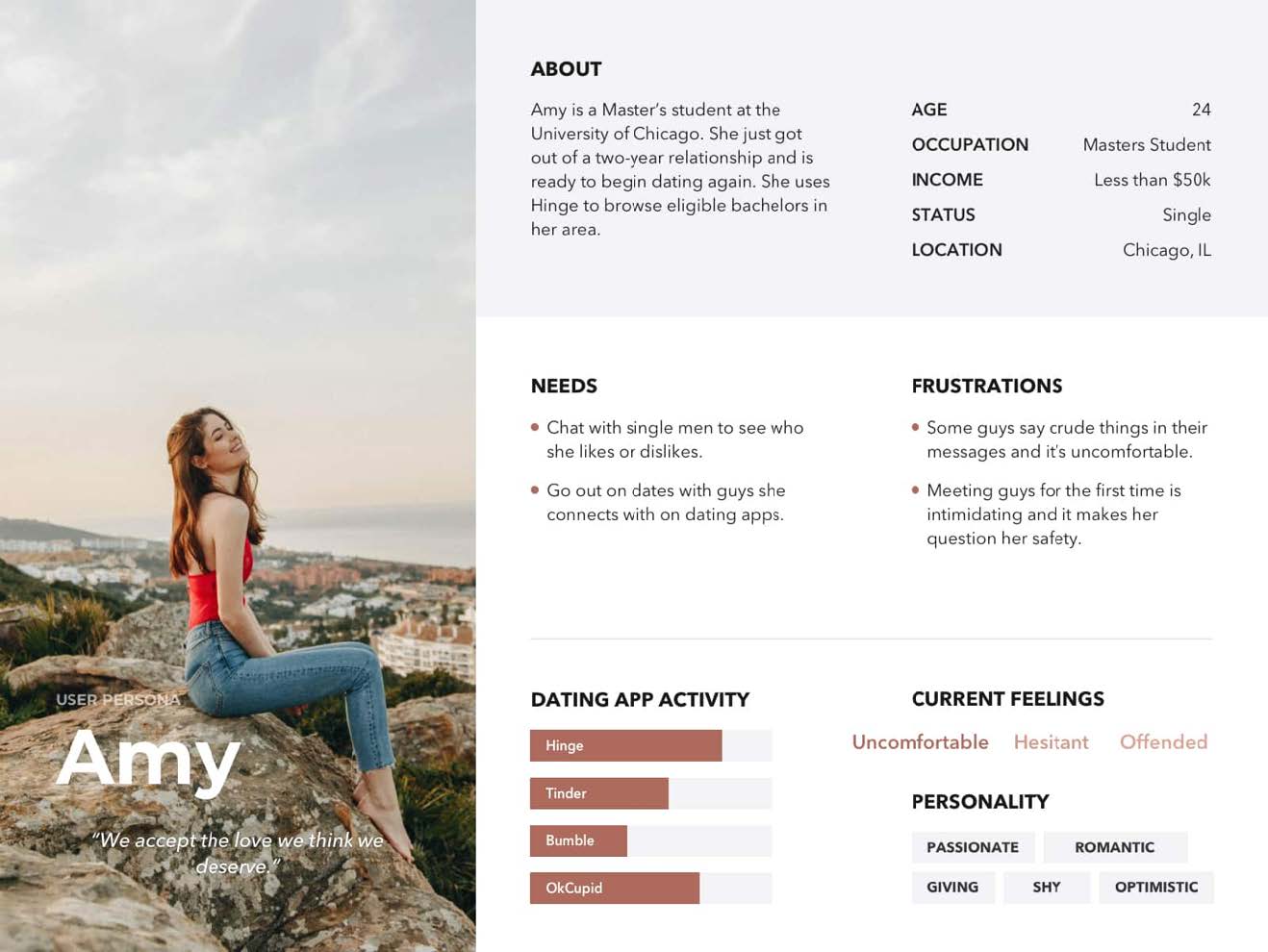
Amy
A frequent dater using Hinge to meet compatible matches. Wants reassurance that someone will notice if a date goes sideways.
Needs: quick setup, control, minimal awkwardness.
Frustrations: no simple way to set boundaries or auto-notify a friend.
Current behavior: manual texting of ETA to a friend before/after dates.
Success: feels safer with minimal extra steps.
Diverge → Converge
Brainstorm Highlights
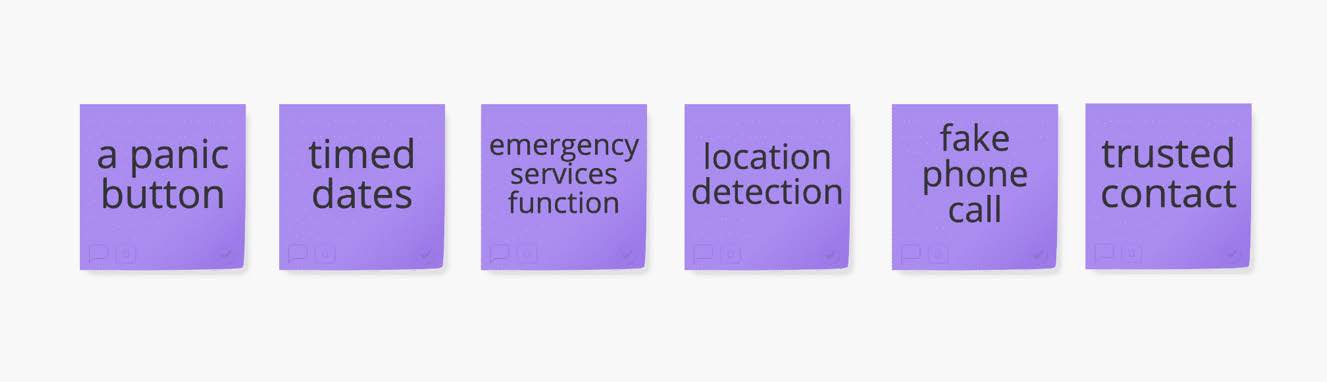
Ideas were scored on effort, intrusiveness, and real‑world reliability.
Panic button
Timed dates
Emergency call
Location radius
Fake call
Trusted contact
Decision: Combine Timed Date + Trusted Contact with an optional Location Radius to reduce false alarms and avoid continuous tracking.
Proposed Experience
Solution Concept — “Date Guard”
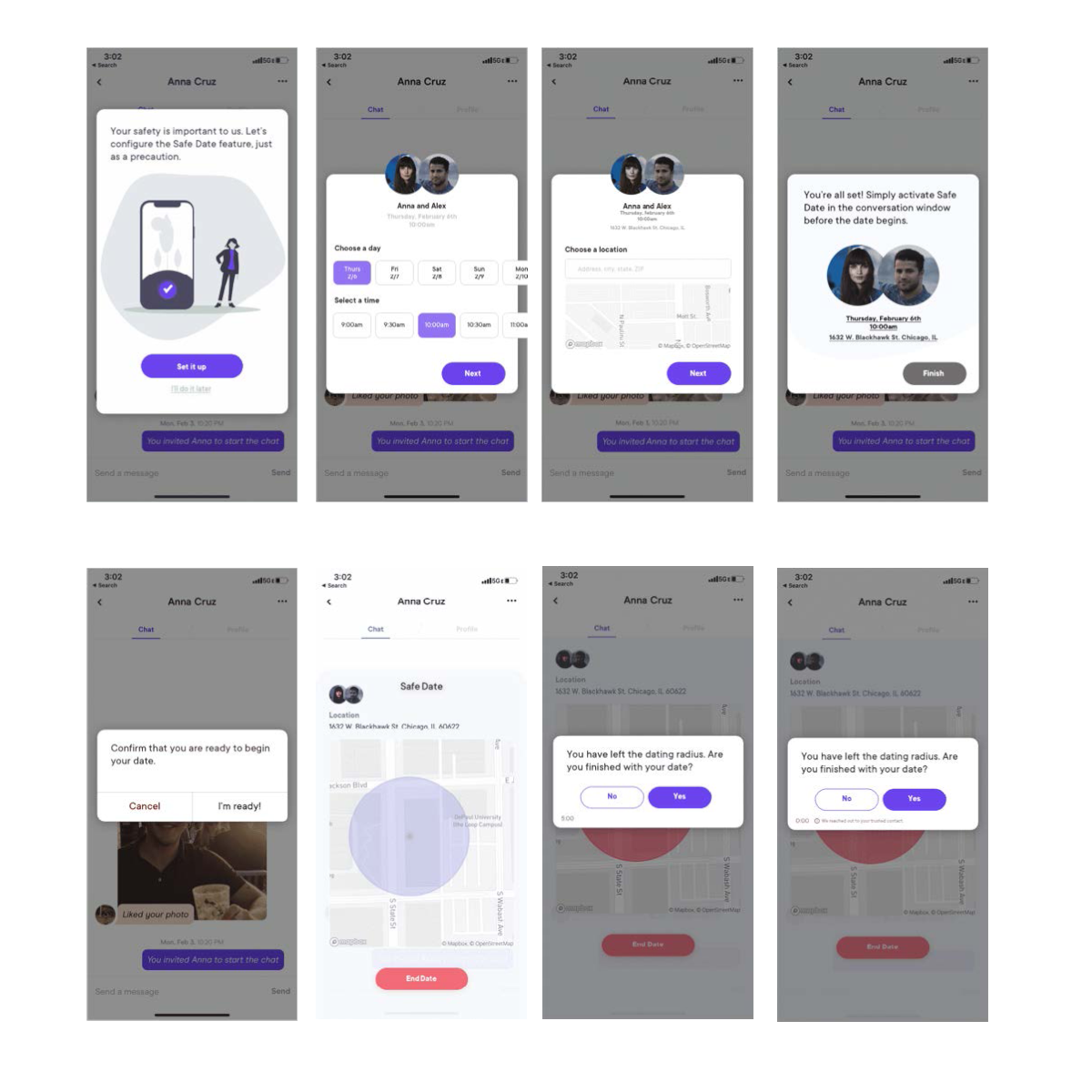
- Set up once: choose a trusted contact and your default time window (e.g., 90 minutes).
- Start date: tap Begin to create a safe timer; optionally lock to your current GPS radius.
- Gentle reminders: discreet banner appears as the time window ends.
- End date: tap I’m safe to dismiss the timer and auto‑notify the contact if configured.
- Failsafe: if no response after grace period (e.g., 10 minutes), send an SMS with last known location to the trusted contact.
Low‑Fi
Wireframes
- Overlay to Begin/End a date with subtle progress indicator.
- Trusted contact setup integrated into Settings → Safety.
- Emergency options: call 911, share location, trigger fake call.
- Edge cases: no service, contact unreachable, leaving radius.

Hi‑Fi
Prototype
- Visual style aligned with Hinge components to reduce build risk.
- CTA hierarchy favors quick acknowledgment over panic actions.
- Non‑modal banners to avoid social awkwardness during dates.
Here are a few screens from the prototype:
Prototype V2